Master Your Etsy Shop with Professional Listing Mockups
Launching a successful digital product shop on Etsy requires more than just a great product. In a marketplace where thousands of sellers compete for attention, the way you present your items can make or break a sale. High-quality listing mockups are no longer optional — they are essential for building trust, conveying value, and standing out in search results. Whether you sell digital planners, printables, or custom templates, a cohesive and professional visual identity helps buyers instantly understand what they are getting. This guide explores everything you need to know about using Etsy listing mockups, with a special focus on a comprehensive bundle of 30 customizable Canva templates designed to save you hours of design work while elevating your shop’s appearance.
What Are Etsy Listing Mockups and Why Do They Matter?
An Etsy listing mockup is a pre-designed template that shows your digital product displayed in a realistic or stylized setting. Instead of uploading a flat screenshot of your planner page or printable file, you place your design into a mockup that might show it on a tablet, inside a binder, on a desk, or alongside coordinating accessories. This transforms a simple digital file into an aspirational lifestyle image that appeals to buyers.
The significance of mockups goes beyond aesthetics. Etsy's search algorithm considers click-through rates and time spent on listings. When your main image looks professional and inviting, more people click on it. Once they land on your page, multiple mockup variations keep them engaged and scrolling. This signals to Etsy that your listing is valuable, which can boost your organic ranking. For Etsy digital sellers especially, where customers cannot physically touch the product, mockups provide the visual proof that builds confidence and reduces hesitation.
Moreover, mockups help communicate the use case of your product. A digital planner shown on an iPad with a stylus suggests a tech-savvy, paperless workflow. The same planner shown printed and placed in a ring binder appeals to those who prefer analog organization. By using a planner mockup in different contexts, you speak to different segments of your audience without creating multiple products.
The Power of a 30-Mockup Bundle for Your Digital Shop
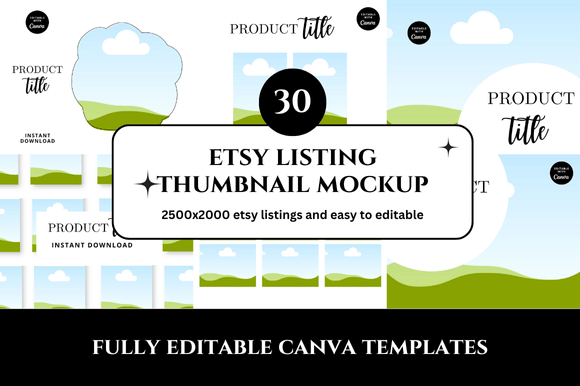
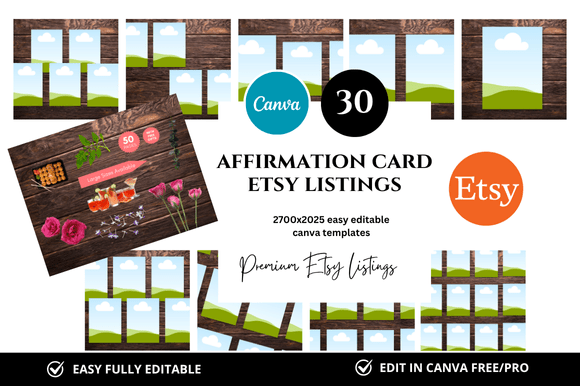
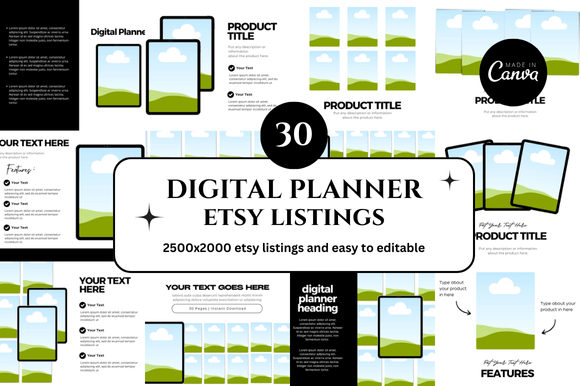
Creating individual mockups from scratch is time-consuming, especially if you want variety across your listings. A bundle that includes 30 Etsy listing mockups solves this challenge in one download. Instead of designing each image separately, you receive a collection of diverse scenes and orientations — all optimized at 2500 x 2000 pixels, the recommended size for Etsy’s main listing image and carousel.
Having thirty different mockups means you can:
- Maintain consistency across your entire shop while still varying the visual story for each product.
- A/B test different thumbnail styles to see which generates more clicks.
- Refresh your listings seasonally or for promotions without starting from zero.
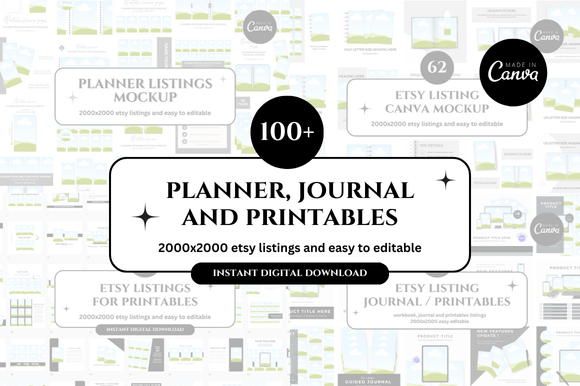
- Cover multiple product types — from digital planners and stickers to banner templates and shop covers.
For sellers who offer digital products like printable planners, habit trackers, or budget worksheets, a single mockup bundle can serve the entire catalog. This efficiency is especially valuable for new shop owners who are already juggling product creation, keyword research, and marketing. By investing in a ready-made set of Etsy mockup templates, you free up hours that can be redirected toward improving your offerings or engaging with customers.
How Canva Templates Simplify the Design Process
Canva has become the go-to design platform for non-designers because of its intuitive drag-and-drop interface. An Etsy Canva template takes this ease a step further by providing fully laid-out scenes where you only need to replace the placeholder image with your own product. These templates often include carefully chosen backgrounds, props, shadows, and lighting effects that look polished without requiring advanced Photoshop skills.
The key advantage of Canva link templates is that you can edit them entirely in your browser. There is no software to install, no fonts to download separately, and no complex layer management. You simply click on the placeholder, upload your design, and the mockup automatically adjusts. For beginners who feel intimidated by graphic design, this lowers the barrier to professional-quality listings.
Customization options allow you to:
- Change background colors to match your brand palette.
- Adjust the device frame or remove it entirely.
- Add your logo or shop name subtly in the corner.
- Resize elements to fit different product proportions.
Because these templates come as instant download files, you can start editing within minutes of purchase. This immediacy is crucial for sellers who want to launch a new product quickly or test a niche without a long lead time. The clean and professional look of well-designed Canva mockups also ensures that your shop appears credible from the first listing.
Step-by-Step: Using Your Etsy Listing Mockup Bundle
Getting the most out of a mockup bundle is straightforward. Follow these steps to streamline your workflow:
- Open the template in Canva using the provided link. Make sure you are logged into your Canva account (the free version works for most templates).
- Select the placeholder image that currently shows a sample design. Click on it to see the upload or replace option.
- Upload your digital product — a screenshot of your planner page, a PDF cover, or a printable design. Canva will automatically fit it into the frame.
- Adjust the placement if needed. You can move, scale, or rotate the image so that it aligns naturally with the mockup’s perspective.
- Customize additional elements like background color, text overlays, or decorative props. Keep it simple to avoid distracting from your product.
- Download the final image as a PNG or JPG with high resolution. For Etsy, PNG is usually preferred because it preserves clarity.
- Repeat for other mockups in the bundle. Create 3–5 different mockup images per listing to use as the main photo and additional carousel shots.
This process takes about 10–15 minutes per mockup once you are familiar with the template. Compared to designing from scratch, that is a significant time saving — especially when you multiply it across thirty listings.
Key Features of Professional Etsy Mockups
Not all mockups are created equal. The best ones share common characteristics that make them effective for Etsy sellers:
- High resolution: Images at 2500 x 2000 px ensure crisp display on all devices and meet Etsy’s requirements for zoom functionality.
- Realistic lighting and shadows: Natural-looking shadows and lighting make the product feel tangible rather than pasted on.
- Clean backgrounds: Neutral or softly textured backgrounds keep the focus on your product while providing visual interest.
- Multiple orientations: Mix of square, portrait, and landscape formats gives flexibility for different listing positions.
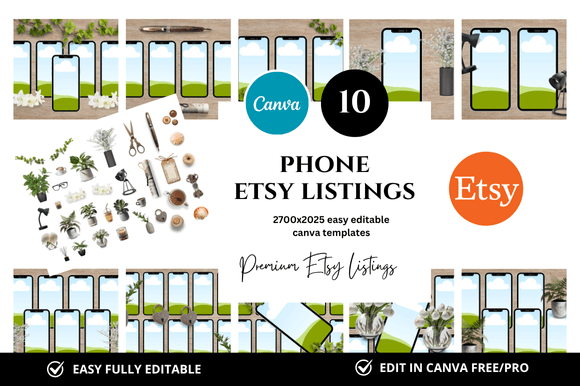
- Device mockups: Frames showing tablets, phones, or laptops help buyers visualize digital use cases.
- Props and scenes: Items like pens, notebooks, coffee cups, or plants create a lifestyle context that appeals emotionally.
When you evaluate a square listing mockup or any other format, remember that the goal is to make your product look both desirable and authentic. Overly busy scenes can confuse the eye, while bare screenshots may seem cold. The sweet spot is a balanced composition that feels aspirational yet achievable.
Common Misunderstandings About Listing Mockups
Some sellers worry that using mockups feels dishonest because the customer receives a digital file, not the staged scene. This is a misconception. Mockups are a presentation tool, not a deceptive practice. Every physical product on Etsy is also photographed in a staged setting — a mug on a table, a dress on a model, a candle next to flowers. Digital products deserve the same treatment.
Another misunderstanding is that mockups are only for premium sellers with design budgets. In reality, printable mockup bundles are affordable and often come with bonus freebies, making them accessible to sellers at any stage. The bonus freebies included with many bundles — such as extra backgrounds, fonts, or social media templates — add further value without increasing cost.
Some also assume that using the same mockup bundle as other sellers will make their shop look generic. However, because you customize each template with your own product, colors, and branding, the final images reflect your unique style. The mockup is just the frame; your content is what makes it original.
How Mockups Fit Into Modern E-Commerce and Digital Entrepreneurship
The rise of digital products has transformed the way people earn income online. Selling digital planners, printables, and templates on Etsy is now a viable side hustle or even a full-time business. In this landscape, visual branding is a critical differentiator. A shop that uses consistent, high-quality Etsy shop covers and listing images signals professionalism and reliability. Buyers are more likely to trust a shop that looks complete and well-maintained.
Moreover, the Etsy digital seller community has grown rapidly, which means competition is increasing. Shops that invest in their visual presentation have a clear advantage. They can charge higher prices because their listings convey more value. They also save time in the long run by using batch-created mockups that work across multiple products.
Beyond Etsy, these same mockup images can be repurposed for social media, email newsletters, and personal websites. A single Etsy banner template from your bundle can become a Pinterest pin or an Instagram post. This cross-platform utility makes mockup bundles a smart investment for any creator who wants a cohesive online presence.
Bonus Freebies and Added Value
Many mockup bundles include bonus freebies that enhance your shop even further. These might include:
- Extra mockup scenes not originally listed.
- Font pairing suggestions or downloadable font files.
- Social media templates sized for Instagram or Pinterest.
- Video mockup templates for Etsy’s new video feature.
- Color palette guides to coordinate your shop aesthetic.
These bonuses are designed to help you build a complete brand identity rather than just individual listings. When you receive 30 Etsy listings mockup instant download content along with these extras, you are essentially getting a starter kit for visual marketing. The phrase “only for you” in the product description reflects the idea that these bonuses are curated to give you an edge in a competitive marketplace.
Conclusion
Creating a successful digital product shop on Etsy requires attention to detail, and your listing images are one of the most impactful details you can control. A bundle of 30 Etsy listing mockups designed for Canva gives you the tools to present your digital planners, printables, and templates in the best possible light — without needing advanced design skills or hours of manual work. The clean, professional look of these templates helps you build trust with buyers, improve your search performance, and ultimately grow your sales. Whether you are just starting your Etsy journey or looking to refresh an existing shop, investing in a comprehensive mockup bundle is a practical step toward a more polished and profitable presence.
With instant download access, easy customization, and bonus freebies included, there is no reason to settle for flat screenshots when you can create engaging, lifestyle-driven imagery that makes your digital products shine. Embrace the power of great mockups and watch your shop transform one listing at a time.