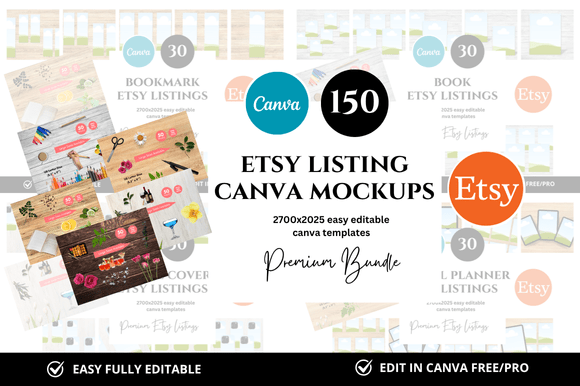
10 Premium Etsy Listings Mockups for Planners
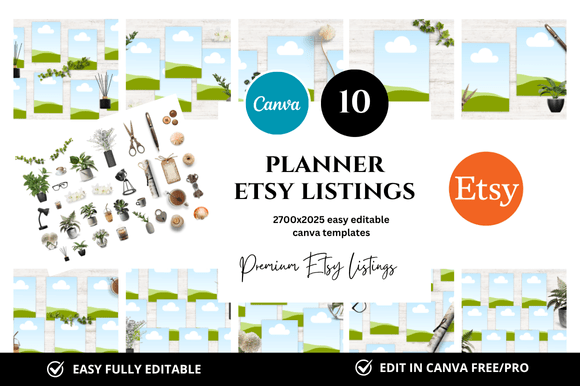
If you sell digital planners on Etsy, you know the struggle of creating consistent, eye-catching listings that convert browsers into buyers. The imagery you use is often the first thing a potential customer sees, and it can make or break their decision to click. This is where a set of premium, customizable mockups can transform your workflow. The 10 Planner Premium Etsy Listings Mockup set is designed to save you hours of repetitive design work while giving your shop a clean, professional look that stands out. With instantly downloadable Canva templates sized at 2700 x 2025 pixels, you can focus on your products rather than wrestling with layout and formatting.
What Makes These Mockups a Practical Tool
At its core, this bundle is a collection of ten ready-to-use templates specifically crafted for Etsy listing images. Each mockup provides a structured canvas where you can place your planner designs, adjust backgrounds, and add text overlays. Because they are built for Canva, you don't need advanced graphic design skills. Everything is editable, from the colors and fonts to the placement of your product. The included bonus freebies often add extra elements like coordinating graphics or additional frames, which can help you maintain a cohesive brand across multiple listings. For a seller managing dozens of products, this consistency is invaluable. It ensures that your shop feels curated and intentional, which builds trust with customers scrolling through search results.
These mockups are not just about saving time. They also help you present your planners in a way that highlights their best features. Whether you are selling a daily layout, a weekly spread, or a goal-setting planner, the clean design of these templates puts the focus on your content. The 2700 x 2025 pixel size meets Etsy’s recommended image dimensions, so your listings will look sharp on both desktop and mobile views. This attention to detail can directly influence click-through rates and sales.
Creative Applications for Different Types of Planners
The versatility of this mockup set means you can adapt it for various planner niches. Here are a few ways to apply the templates based on your specific audience and product type.
For Academic and Student Planners
If you target students, your listing images need to feel organized and accessible. Use the mockups to display a full semester layout or a weekly schedule. Place the planner on a simple desk scene with a pen and a coffee cup, but keep the background minimal to avoid clutter. The square format works well for Instagram previews too. You can create one listing image that shows the planner cover, another that highlights an interior spread, and a third that lists key features using a clean overlay. This approach gives potential buyers a complete picture without overwhelming them.
For Goal Setting and Habit Trackers
Planners focused on personal development, habit tracking, or monthly goals benefit from mockups that emphasize progress. Use the templates to showcase a before-and-after style comparison, or highlight sections of the planner with arrows and callouts. The bonus freebies might include icons or badges that you can use to mark key areas like “Gratitude Log” or “Weekly Wins.” By leveraging these elements, you create a narrative around your product. Customers can immediately see how the planner will fit into their routine, which makes the purchase feel like a solution rather than just a download.
For Wedding and Event Planning
For planners aimed at weddings or events, the mockups can be styled with elegant touches. Use muted color palettes and soft typography. The clean layout of the templates ensures that checklists, budget trackers, and guest lists look organized. You might create a mockup that places the planner next to a bouquet or a venue map. The key is to maintain a professional look that aligns with the premium feel of event planning. The consistent sizing across all ten templates means you can quickly generate a full set of listing images for a wedding planner bundle, from the main cover shot to detailed feature highlights.
Tailoring Mockups for Different Seller Needs
Not every Etsy seller uses mockups the same way. Your goals, audience, and brand voice should guide how you customize these templates.
If you are a new seller, you might prioritize speed. These mockups allow you to launch your first few products without spending days on design. Simply drop in your planner pages, adjust the text, and publish. The instant download nature of the bundle means you can start creating listings within minutes. This is especially helpful when testing product ideas or participating in a launch event.
For established shop owners, the value lies in scaling. When you have hundreds of listings, maintaining a unified look becomes a challenge. Using the same set of mockup templates across your planner category ensures that every listing feels like part of a family. You can develop a signature style by consistently using the same background colors, fonts, and overlay treatments. Over time, customers will recognize your shop’s imagery even before reading the title.
Marketers and bloggers who promote planners can use these mockups for content beyond Etsy. Because the templates are editable in Canva, you can resize or repurpose them for social media posts, Pinterest pins, or blog graphics. The square format is ideal for Instagram, while the original 2700 x 2025 pixel dimensions work well for featured images on articles. This cross-platform consistency strengthens your brand identity and makes your promotional efforts more efficient.
Keeping Your Listings Clear and Audience-Friendly
While mockups save time, they only work well if you use them thoughtfully. Here are a few practical recommendations to keep your results effective.
- Prioritize readability. When adding text overlays, ensure that fonts are easy to read at thumbnail size. Use high contrast between text and background. Avoid overcrowding the mockup with too many details. One clear benefit or feature per image is often more compelling than a list of five.
- Stay consistent with your brand. Choose a color palette and typography that matches your planner style. If your planners are minimalist, keep the mockups clean and airy. If they are bold and colorful, use backgrounds and accents that complement without competing.
- Show the product in context. A planner mockup that includes a hand holding the book or a simple flat lay can help customers imagine using it. But avoid excessive props that distract. The goal is to highlight the planner, not the staging.
- Keep file sizes optimized. After editing in Canva, export your images at the recommended resolution for Etsy. The 2700 x 2025 pixel starting size is a good baseline, but always check that your final image loads quickly and remains crisp on mobile screens.
Practical Inspiration for Your Next Launch
Suppose you are releasing a new line of undated weekly planners. You could use the ten mockups to create a complete listing suite. The first mockup becomes your main product image, showing the cover and a clean background. The second highlights a two-page spread. The third uses an overlay to list key features like “undated” and “minimal layout.” You can dedicate additional mockups to showing how the planner works for different use cases, such as meal planning, work tasks, or family schedules. The bonus freebies might include decorative elements that you can use to create a cohesive set of lifestyle shots. By the end, you have a polished listing that communicates value and professionalism without requiring a graphic designer.
Another idea: create a bundle of digital products that includes the planner plus coordinating stickers or inserts. Use the mockups to show how the items work together. A single mockup can display the planner open with a sticker sheet placed beside it. This cross-promotion encourages buyers to purchase the bundle rather than individual items, increasing your average order value.
For sellers who participate in Etsy sales events or seasonal promotions, these templates can be quickly updated with new colors or seasonal elements. Swap out summer backgrounds for autumn tones, or add a small banner overlay that says “Fall Sale.” The flexibility of Canva-based templates makes this a five-minute task rather than a three-hour project. This agility lets you keep your shop feeling current and responsive to trends.
Building a Cohesive Shop Identity
Beyond individual listings, the real power of using a consistent mockup set is the overall impression it creates. When a buyer visits your shop and sees a uniform style across your planner section, it signals quality and attention to detail. It makes your shop look larger and more established than it might be. For new visitors, this can be the deciding factor between making a purchase or clicking away. The 10 Planner Premium Etsy Listings Mockup gives you a foundation that is both flexible and uniform. You can experiment with different planner designs while keeping the listing frame consistent, so your shop remains recognizable.
Finally, remember that these templates are starting points. Your unique content, copy, and product quality are what ultimately drive sales. Use the mockups to present your work in the best possible light, but let your planners speak for themselves. With a little customization, this bundle can become a reliable part of your creative toolkit, freeing you to focus on designing better products and connecting with your audience.